
Back to blog
CNC Accuracy 4 min read

CNC Tool Runout Guide: Why Small Errors Shorten Tool Life

Understand how runout changes chip load, surface finish, and tool life, plus practical inspection steps.
4/21/2026By CAGO technical team
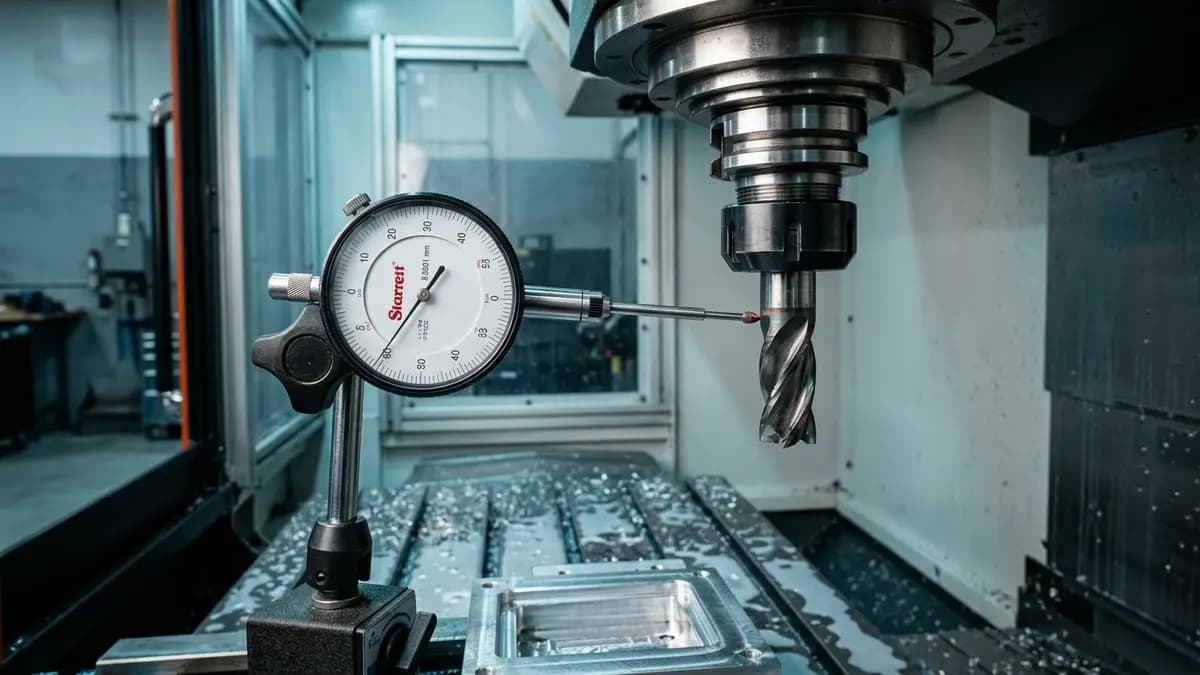
runout tool holder accuracy
CNC Tool Runout Guide: Why Small Errors Shorten Tool Life

Quick Answer

Quick answer: runout overloads one or two cutting edges check holder, collet, shank, and spindle together

Key Takeaways

runout overloads one or two cutting edges

check holder, collet, shank, and spindle together

small tools require tighter runout control than large tools

Shop-Floor Decision Table

SymptomLikely CauseFirst Action
Tool life is unusually shortHigh heat, cutting force, or runoutCheck coolant, holder, overhang, then tune one parameter at a time
Surface finish is inconsistentChatter, built-up edge, or unsuitable feedRead the surface pattern and cutting sound before changing speed/feed
Chips wrap or fail to evacuateGeometry or chip load is outside its working rangeAdjust feed/depth of cut or change chipbreaker/flute geometry

Shop-Floor Check

1

Confirm material, hardness, and operation before selecting the tool

2

Check machine rigidity, holder, overhang, and workholding

3

Start from the middle of the tool maker's recommended range

4

Change one variable at a time and record sound, chips, spindle load, and finish

5

Stop tuning when tool life and surface quality are stable

Common Mistakes

  • Changing grade or tool immediately before checking runout and clamping
  • Changing several speed/feed values at once so the real cause is hidden
  • Copying parameters from another job without matching material, hardness, and coolant

When edge life drops, finish becomes unstable, chips get hard to control, or the machine stops too often for tool changes, do not start by asking which tool is cheaper. Start with CNC Tool Runout Guide: Why Small Errors Shorten Tool Life, then read what the material, machine, holder, coolant, and parameters are telling you.

What to Check

  • runout overloads one or two cutting edges
  • check holder, collet, shank, and spindle together
  • small tools require tighter runout control than large tools

How to Apply It on the Shop Floor

On the shop floor, work through one issue at a time. Confirm material and hardness first, then check machine rigidity, holder, overhang, coolant, and clamping. If speed or feed needs tuning, change one variable and record the result so the team knows what actually helped.

Important Cautions

Use this article as a decision framework, not fixed cutting data. Before production use, compare it with the tool maker catalog, machine condition, and shop safety limits. If the case is unclear, send the current tool, material, operation, and problem details to CAGO for review.

FAQ

Should I change parameters or change the tool first?

Start by checking the setup: holder, runout, coolant, and workholding. Many machining problems are system problems, not only cutting edge problems.

Can this article replace catalog cutting data?

No. Use it as a decision framework, then confirm with the tool maker's catalog and the actual machine condition.

Ask AI