
How to Choose CNC Coolant for Steel, Stainless, Cast Iron, and Aluminum
Select coolant by material, milling, turning, drilling, concentration, pressure, and nozzle direction.
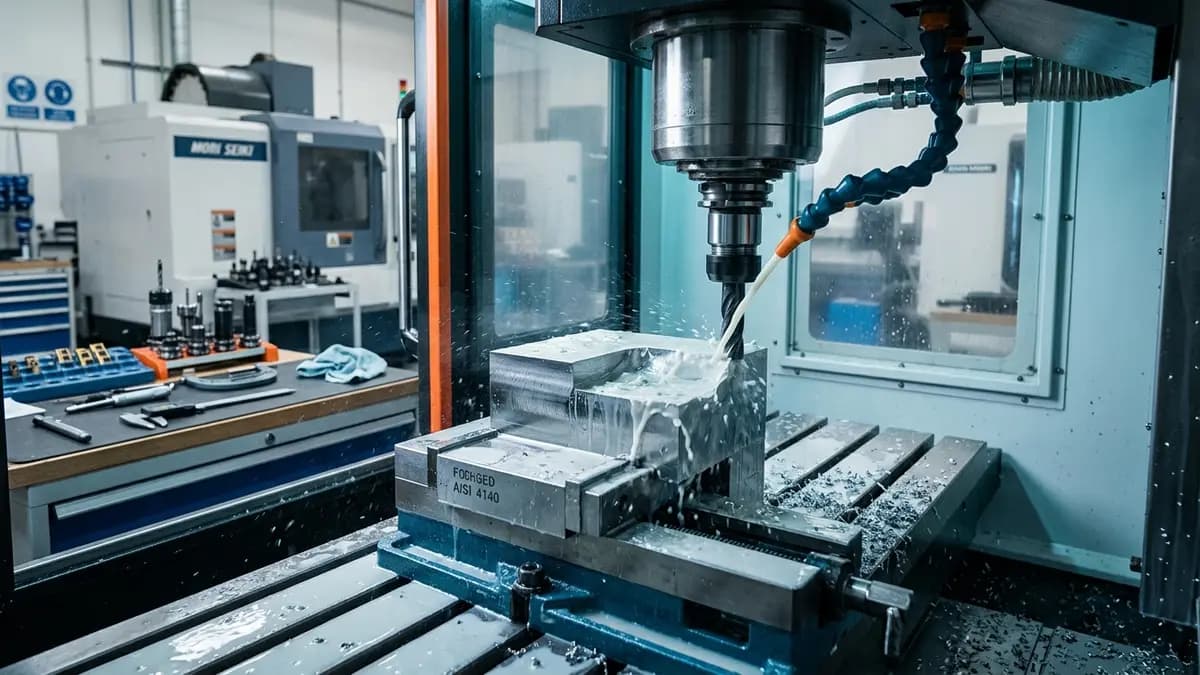
Quick Answer
Quick answer: Choose CNC coolant from the material and operation first, not from brand alone Pressure, nozzle direction, and concentration matter as much as coolant type
Key Takeaways
Choose CNC coolant from the material and operation first, not from brand alone
Pressure, nozzle direction, and concentration matter as much as coolant type
Steel, stainless steel, cast iron, and aluminum need different coolant logic
Shop-Floor Decision Table
| Symptom | Likely Cause | First Action |
|---|---|---|
| Tool overheats although cutting data is not aggressive | Coolant does not reach the edge or concentration is low | Measure concentration and aim the nozzle directly into the cut |
| Aluminum welds to the edge | Lubricity or chip evacuation is not enough | Review synthetic/semi-synthetic coolant and increase air or coolant flow |
| Cast iron makes graphite sludge in the machine | Flood coolant is used without enough filtration | Check whether dry machining, air blast, or better filtration fits the job |
Shop-Floor Check
Separate the material first: steel, stainless, cast iron, or aluminum
Define the main operation: turning, milling, drilling, threading, or deep holes
Choose the coolant family: emulsion, semi-synthetic, synthetic, straight oil, or MQL
Set concentration from the coolant maker's data and verify with a refractometer
Aim pressure and flow at the cutting edge, then read chips and finish
Common Mistakes
- • Using one coolant setup for every material without adjusting concentration
- • Adding water to save cost until concentration falls too low
- • Changing insert grade before checking nozzles, pressure, filters, and chip evacuation
- • Changing several speed/feed values at once so the cause is hidden
When CNC coolant does not match the job, symptoms appear quickly: hot edges, welded chips, rejected finish, or strong coolant smell even when speed and feed are not aggressive. I would not start by changing the tool. I would first check material, operation, concentration, and nozzle direction.
Why Coolant, Heat, and Chip Control Are Connected
Most cutting heat should leave with the chip. If chips are too thin, too long, or trapped in the cut, heat returns to the edge and the part. Coolant is not just about wetting the workpiece; it removes heat, reduces built-up edge, and helps push chips away. In turning, match PILOT inserts, grade, and chipbreaker with feed and DOC, not material alone.
How to Choose and Apply It on the Shop Floor
- Choose CNC coolant from the material and operation first, not from brand alone
- Pressure, nozzle direction, and concentration matter as much as coolant type
- Steel, stainless steel, cast iron, and aluminum need different coolant logic
For general steel, start with coolant that balances cooling and lubricity. Stainless needs stable coolant to reduce work hardening and edge heat. Cast iron may run dry or with air blast in many jobs, but graphite dust and filtration must be controlled. Aluminum needs chip evacuation, built-up edge control, and sharp geometry. For turning inserts, start from material groups such as P, M, K, or N, then choose the PILOT chipbreaker from the actual chip behavior.
Cautions and When to Ask CAGO to Review
Do not copy coolant or speed/feed settings from another job without matching material, hardness, depth, and machine condition. If the case is unclear, send CAGO the material, current tool, chip photos, wear photos, operation, coolant type, concentration, and current tool life for a case review.
FAQ
What should CNC coolant selection start from?
Start from material and operation: steel, stainless, cast iron, aluminum, milling, turning, or deep drilling. Then review coolant type, concentration, and pressure.
If a tool overheats, should I change the insert first?
Not immediately. First check whether coolant reaches the cutting edge, whether concentration is correct, and whether chips leave the cutting zone.
How do PILOT inserts help chip breaking?
PILOT inserts offer grades and chipbreakers for different materials such as steel, stainless, and aluminum, but they still need the right feed, DOC, and coolant.